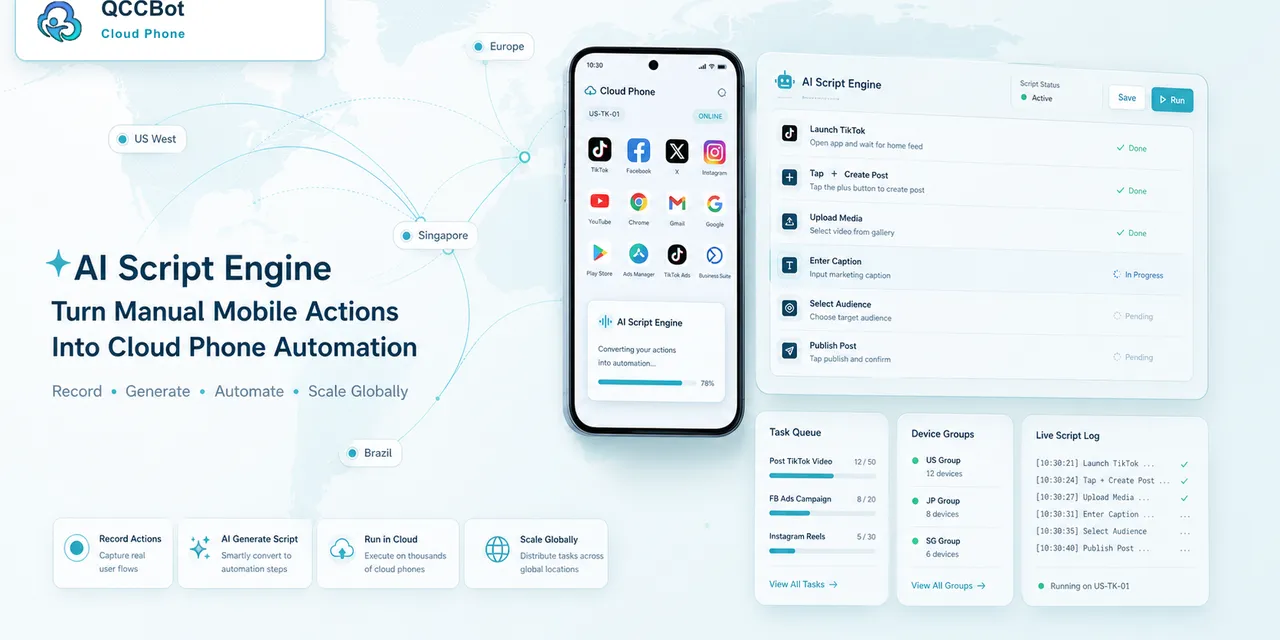
很多团队第一次接触AI 云手机自动化,最关心的不是概念,而是实际问题:这个事情能不能少靠人工?出了错能不能知道原因?如果任务卡住,系统能不能先帮我分清楚,而不是让我一台台打开云手机检查?
这篇文章用通俗方式讲清楚这个问题。它不走复杂技术论文路线,而是从真实运营场景出发,看一个团队应该怎样把重复移动端任务做成可执行、可查看、可处理的流程。
用户真正遇到的问题
AI 云手机自动化通常不是难在某一个动作,而是难在重复和异常。
一个账号、一个 App、一台手机时,人工操作很快。但当账号数量变多,设备数量变多,问题就会集中出现:有的账号掉线,有的 App 加载慢,有的页面弹出权限,有的任务跑到一半停住。
团队最怕的不是失败本身,而是不知道为什么失败。
常见情况包括:
- 任务停在非预期页面;
- App 弹出权限或更新提示;
- 账号需要重新登录;
- 网络加载时间不稳定;
- 脚本找不到原来的按钮;
- 一批任务里只有少数设备异常;
- 操作人员需要一台台打开确认。
这些问题看起来都不大,但每天重复出现,就会消耗大量时间。
一个真实场景
假设团队每天要检查几十个移动端账号,或者给多个账号执行相同的 App 任务。
人工方式通常是:打开设备,进入 App,确认状态,遇到异常就截图或记录,然后换下一台。
这个流程的问题是:大多数设备其实是正常的,但人还是要花时间确认它们正常。真正需要处理的只是少数异常账号或异常任务。
更合理的方式是让系统先跑检查任务,把正常结果和异常结果分开。人只处理需要判断的部分。
应该先把任务拆清楚
不要一开始就想着“全部自动化”。先把任务拆成几个清楚的环节:
- 云手机是否在线;
- 账号是否处于正确状态;
- App 是否进入目标页面;
- 脚本是否执行到关键步骤;
- 结果是否能判断;
- 异常是否能分类;
- 是否需要人工处理。
拆清楚以后,后面无论写脚本、看日志,还是做 AI 接管,都会更稳定。
难点不是点击,而是判断
很多移动端任务本质上就是点击、输入、等待、确认。
但真正的难点在判断:当前页面是不是正常?这个弹窗能不能关闭?这个账号提示是不是风险?网络问题能不能重试?脚本失败是因为页面变化,还是账号状态变化?
如果没有判断层,自动化就容易变成“按固定路线乱跑”。
更适合团队的处理方式
一个更适合日常运营的流程应该是:
- 先在小规模云手机分组测试。
- 记录每个步骤的执行结果。
- 把失败按原因分类。
- 对安全问题尝试自动恢复。
- 对敏感问题标记人工处理。
- 复盘高频异常,再优化脚本或流程。
这样做的好处是,团队不会被一堆失败任务淹没,而是能看到明确的处理顺序。
QCCBot 可以怎样帮助
QCCBot 的价值不是单纯提供一台远程 Android 手机,而是把云手机、AutoJS 脚本、AI 脚本生成、任务日志和异常接管连接成一个工作流。
对于AI 云手机自动化,团队可以先用云手机承载账号和 App 环境,再用脚本执行重复步骤,用日志记录结果,用 AI 辅助判断异常。如果 AI 接管开关开启,系统可以尝试处理适合自动恢复的问题;如果涉及账号安全或人工判断,则标记出来给人处理。
新手可以从哪里开始
建议先选一个简单任务,例如账号状态检查、App 打开检查、内容加载检查、素材上传测试或缓存清理。
不要一开始就跑几十台设备。先用 1 台跑通,再用 3 到 5 台测试,观察最常见的失败原因。等成功和失败都能看懂,再扩大规模。
总结
AI 云手机自动化的重点不是把人完全替换掉,而是减少重复检查,把人的时间留给真正需要判断的地方。
当任务可以被拆解、记录、分类和恢复时,云手机自动化才会从“能跑脚本”变成“能服务团队日常工作”。
常见错误
团队在做AI 云手机自动化时,经常踩几个坑。
第一个坑,是一开始就想自动化完整业务。任务太长、页面太多、异常太多,最后很难知道哪里出了问题。
第二个坑,是把账号状态问题当成脚本问题。账号掉线、需要验证、出现安全提醒,这些都不是简单改脚本就能解决。
第三个坑,是把所有弹窗都当成可以跳过。普通权限弹窗可以处理,但账号风险、验证码、安全提示应该人工确认。
更稳的流程
更稳的流程可以这样设计:
- 准备云手机分组。
- 确认账号或 App 在正确起点。
- 运行一个目标明确的脚本任务。
- 记录每台设备跑到哪一步。
- 只对安全异常进行重试。
- 把剩余异常按原因分组。
- 让人工只处理敏感或复杂问题。
这个流程不复杂,但能减少大量无效检查。
好结果应该长什么样
好的结果不是一个简单的“成功/失败”。
更有用的结果应该像这样:
- 32 台设备正常完成;
- 5 台设备遇到网络重试;
- 3 个账号需要登录检查;
- 2 台设备停在权限弹窗;
- 1 个脚本需要调整。
这样的结果能直接指导下一步动作。
如果你的团队也在处理类似的移动端重复任务,可以通过 QCCBot 官网了解 AI 云手机、AutoJS 脚本、任务日志和异常接管能力。